

If you're looking for the Chicken Road App on Android, the first thing to get right is the source. A clean download page should make it obvious who published the file, what version it is, and whether it is meant for mobile installation. This guide explains the basics behind Chicken Road App Download searches, including what an APK is and why it matters. It also helps you separate a real installer from a page that only looks official.
Searches such as Download Chicken Road and Chicken Road Game Download can lead to several different results, so a careful approach is more useful than a fast one. Below, you'll find practical notes on safe installation, Android warnings, app features, and the difference between game-play language and real earning claims. The goal is to give you a clear picture of Chicken Road Game Apk pages, not to oversell the experience. If you have seen phrases like Chicken Road Casino App or Chicken Road Earning App, this page explains how to read them critically.
How to Download the Chicken Road App Safely
Android installation usually starts with a file source, and that source matters more than the download button itself. With Chicken Road Game Download, the safest approach is to check the domain, publisher details, and version notes before you open anything. A page that skips those basics is asking you to trust the file without giving you enough context. That is the point where caution is better than speed.
You may also see different wording around the same package, such as Chicken Road App Download or Chicken Road Game Download Apk. Those labels can point to a store listing, a hosted APK, or a mirrored file, and they are not all equally reliable. Before installing Chicken Road Apk, it helps to verify that the file description matches the app you expected. If anything feels inconsistent, pause and compare the details again.
What should you verify before downloading the file?
The quickest safety check is to look at the page as a whole, not just the big button. A legitimate Download Chicken Road Game page should explain the file type, the version, and the device requirements in plain language. If the page uses vague claims but gives no real installer details, that is a warning sign. You should also notice whether the site name and the app name match instead of looking copied or patched together.
File size and update date matter more than many people think. A proper Chicken Road App listing usually gives you enough information to compare versions before installation. If the page also includes release notes, that is helpful because it shows the file is being presented as software, not just as a marketing banner. The more concrete the details, the easier it is to judge whether the download is worth opening.
A careful Chicken Road Game Download should start with source checking rather than speed.
- Confirm the domain, spelling, and publisher name before you tap any Download Chicken Road Game button.
- Check whether the file is an APK, a store listing, or a redirected mirror for Chicken Road Game Download Apk.
- Read the permissions screen and question anything that asks for more access than the game needs, especially on Chicken Road Apk pages.
- Compare the version number, file size, and update date with the page description for Chicken Road App Download.
- Run a security scan or Play Protect check before opening the installed package for Chicken Road App.
After those checks, the Chicken Road App is much easier to judge as a file instead of a promise.
Chicken Road APK Installation for Android Devices Step by Step
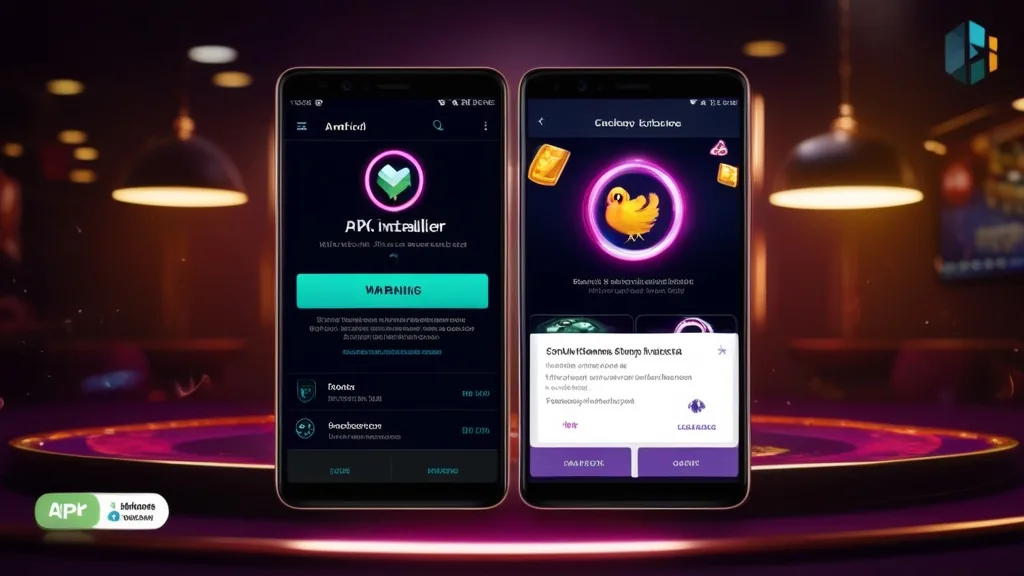
An APK install on Android usually begins outside the app store, which is why system warnings appear so often. When people search for Chicken Road Apk, they are usually looking for a package that can be opened directly on a phone after permissions are adjusted. That process is normal for many apps, but it should still be handled carefully. If the file came from a page with little detail, the warning message is doing you a favor.
Once the file is installed, the next step is checking whether the app behaves as expected on first launch. A proper Chicken Road Game Apk should not need strange extra permissions just to start, and it should explain why it wants storage, notifications, or network access. Some users call that setup stage Chicken Road App Download, but on Android the important part is what the installer actually requests. If the prompts look excessive, stop and review them before proceeding.
Why does Android warn about unknown apps?
Android warns about unknown apps because it cannot automatically confirm the file's source. That warning does not mean every Chicken Road Game Download is dangerous, but it does mean the phone wants you to think before installing. The system is protecting you from files that might be altered, mislabeled, or bundled with extras you did not ask for. In other words, the message is a checkpoint, not a technical error.
If you decide to continue with Chicken Road App, the safest habit is to allow installation only for the browser or file manager you used. That limits the permission to one source instead of opening the device more widely than necessary. It also makes it easier to revoke access later if you change your mind. Small controls like that are useful when you are dealing with any APK file.
Chicken Road Game Download Features and App Interface Overview

A game app usually makes its structure obvious within the first screen or two, and Chicken Road Game Download builds are no exception. The interface often tries to guide you toward play, settings, and any promotional areas without making you search too hard. If you are comparing different versions of the Chicken Road App, the menus and buttons are often the easiest way to notice changes. That is why the visual layout matters as much as the file itself.
The same search term can point to a browser version, an APK, or a repackaged build, so the interface may not look identical everywhere. A careful look at Chicken Road Game Apk screens can tell you whether the app is a simple arcade-style title, a reward-based product, or a site wrapper with game content inside. People also use phrases like Chickenroad App when they mean the same package, so it helps to focus on what the menus actually do. The more familiar you are with the layout, the easier it is to notice missing or changed features.
What does the main lobby usually show first?
The main lobby is usually the first place where the app explains itself. In a Chicken Road App Download build, you can expect the primary action button, a menu icon, and a few visible shortcuts to settings or support. If the lobby looks too crowded, the app may be trying to push promotions before it explains the basics. A clean layout, by contrast, makes it easier to find the game and understand the next step.
Users sometimes judge the app only by the first screen, but that is not enough. A real Chicken Road Game Download should still feel navigable after you move past the opening panel. Look for basic clues like language options, sound controls, and any help section that explains what the game does. Those small interface details often tell you more than the marketing text on the download page.
- Home lobby
- Opening screen with play entry points and menu icons
- Play area
- Main screen where rounds or sessions start
- Settings menu
- Sound, language, notifications, or display options
- Help or support
- FAQ, version notes, or contact details
- Permission prompts
- Requests for storage, network, or notification access
Is Chicken Road an Earning App or Casino Game
The phrase Chicken Road Earning App is often used in search results, but that label needs context. Some apps offer points, rewards, or bonuses, while others simply use reward language to make the game feel more valuable. A real review should separate the game's mechanics from its advertising. If the app talks like a money tool, the rules should still explain exactly how value is earned, stored, or withdrawn.
Searches for Chicken Road Casino App usually mean people want to know whether the game involves wagers, prizes, or risk. That is an important question because the experience changes a lot when money is involved. If a page is vague about deposits, withdrawals, or bonus terms, then the financial side of the app is not being presented clearly. In that case, you should treat the claims as promotional until the rules are visible.
Why do some players call it an earning app?
People often use the term Chicken Road App earning-style language when they see points, streaks, rewards, or prize claims. That does not automatically mean the app pays out cash in a simple or guaranteed way. Sometimes the wording is just a shortcut for describing progress inside the game. The important part is whether the app explains the mechanism behind the reward, not just the headline.
If a page promises income, it should also explain the conditions, limits, and withdrawal rules. Without that detail, Chicken Road Game Download language can sound more generous than the actual product is. A fair description will tell you whether rewards are cosmetic, in-game only, or tied to a separate payment process. That clarity matters more than the label itself.
Claims around the Chicken Road Earning App label should be tested against the app's actual mechanics.
- If a page promises fixed income or daily cash with no conditions, treat the Chicken Road Earning App label as marketing, not proof.
- If the rules about rewards, withdrawals, or wagering are missing, the Chicken Road Casino App description is too vague to trust.
- If the app asks you to deposit money before explaining risks, read the terms again and slow down.
- If screenshots look edited or reused, compare them against the actual build of the Chicken Road Game Apk.
- If support details are absent, that is a sign to verify the source before installing the Application Chicken Road.
Used carefully, the Chicken Road Casino App phrase can be a clue about how the game is framed, but the rules decide what it really is.
Application Chicken Road Access, Login, and Basic Setup Tips
First-time access usually depends on whether the app supports guest play, phone login, or a simple account form. With Application Chicken Road, the first screen often tells you whether you need an email, a phone number, or a code before you can start. That matters because the login method affects how easily you can recover access later. A good setup begins with understanding what the app actually asks for, not just tapping through the prompts.
After login, the app may ask about notifications, language, or display preferences right away. That stage is common in Chickenroad App style installs because the developer wants the interface ready before the first session. It is smart to slow down and choose settings that fit your device rather than accepting every default. Small choices at setup time can make the app easier to use and easier to manage.
What should you do after your first login?
The first thing to do after logging in to Chicken Road App is check whether your profile name, account ID, or guest status is visible. If the app stores progress, you want to know how that progress is linked before you spend time inside it. It is also sensible to look at any welcome prompts, because they often explain where the main menu, play area, or support section is located. A minute of checking now can save a lot of confusion later.
You should also review the basic settings before starting a longer session in Chicken Road Game Download. Turn sound and notifications on or off based on what suits your phone, and see whether the app offers language or display adjustments. If you are on mobile data, it helps to notice how much the app loads when you move between screens. That makes the experience smoother and gives you a better sense of how the build behaves in real use.