

The Chicken Road Game Demo gives new players a way to explore the pace, risk, and timing of the game without putting real funds on the line. It is useful when you want to learn how rounds flow, how decisions feel under pressure, and whether the game style suits you. This page explains what demo mode usually includes, how third-party signal and predictor tools are described, and what to look for in AI-based advice. If you have seen phrases like Chicken Road Demo or Chickenroad Demo, this guide helps separate the useful basics from the marketing noise. Learn more about Is Chicken Road Game Legit.
A lot of people search for terms such as Chickenroad Game Demo, Chicken Road Predictor App, and Chicken Road Bot AI because they want a shortcut to better results, but the demo is still the safest place to learn the game itself. You can use it to understand controls, test your reactions, and compare different approaches without pressure. The key is to treat demo play as practice, not as a promise of future wins. That mindset makes the Chickenroad Demo far more valuable than any flashy claim about a Chicken Road Signal Bot.

How the Chicken Road Game Demo Works for New Players
The demo usually mirrors the live game's core loop, which means you can feel the same pace before you risk any balance. In a Chickenroad Game Demo, the main advantage is repetition: you can play several rounds and notice how quickly decisions arrive. That makes it easier to spot moments where you hesitate, rush, or ignore the on-screen cues. For most newcomers, the Chicken Road Demo is less about winning and more about understanding the structure.
Players often use Chicken Road Demo sessions to learn how stakes, timing, and risk changes feel in practice. If you see a site promoting a Chickenroad Demo, the useful question is whether it gives you enough rounds to test real habits instead of only a short teaser. The best demo experiences let you make mistakes cheaply and then try again immediately. That is far more helpful than any promise from a Chickenroad Predictor that claims to know every outcome.
What can you learn from the demo before you play for real?
A solid Chicken Road Game Demo teaches you the rhythm of each round, especially how quickly you need to respond once the game starts. You can also see whether the game feels slow and methodical or fast and tense, which matters more than many new players expect. That early experience helps you decide if the format matches your comfort level. It is one of the simplest ways to build familiarity before you think about real stakes.
The demo also shows your own habits, which is often the most useful lesson. With the Chicken Road Demo, you can notice whether you overthink, chase losses, or cash out too early because of nerves. Those patterns are hard to spot when money is on the line, but they stand out quickly in practice mode. If you learn them early, you can approach later sessions with a calmer mindset.
A good Chickenroad Game Demo session is most useful when you treat it like a rehearsal rather than a free spin cycle.
- Learn the pacing of each round and how quickly decisions are expected.
- Practice cash-out timing without real-money pressure.
- Notice whether you understand the risk curve or need more reading.
- Test the interface on your phone or desktop before switching modes.
If a Chicken Road Demo lets you repeat rounds freely, you can spot your habits faster and avoid learning those lessons with real stakes.
Chicken Road Signal Bot and Predictor Features Overview
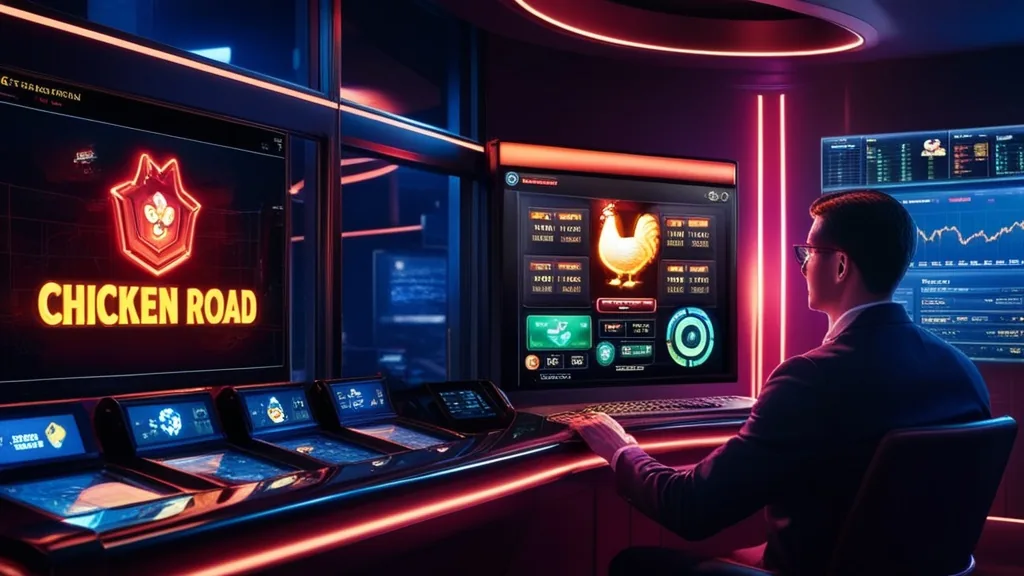
Searches for Chicken Road Signal Bot and Chicken Road Predictor usually appear when players want a shortcut around trial and error. The problem is that these labels are often used by third-party pages, not by the game itself. In practice, they may point to pattern notes, automated commentary, or simple marketing language. A careful reader should treat every Chickenroad Signal Bot claim as something to verify, not something to trust immediately.
Another common search is Chicken Road Predictor App, which sounds precise but still needs a reality check. If a tool says it can read future rounds perfectly, that is a red flag rather than a feature. A more honest product might explain its logic, limitations, or data source. That is why Chickenroad Predictor pages are better judged by transparency than by bold promises.
Do predictor tools actually know the next result?
No public Chicken Road Predictor App can reliably know the next round unless the game itself is broken or the provider has given it special access. Most of the time, the tool is only describing patterns, probability language, or user-generated guesses. That means the output may look confident without being accurate in any meaningful sense. If a page acts certain about the future, it is selling certainty rather than insight.
The same caution applies to a Chickenroad Predictor that claims to decode the game. A random or semi-random game does not become predictable just because someone wrapped it in technical wording. Useful tools can still help you think about timing and volatility, but they should never be treated as guarantees. The safest approach is to use them as commentary, not as a decision machine.
- Chicken Road Signal Bot
- Sends alerts or signals for safer moves
- Chicken Road Predictor
- Predicts the next outcome
- Chicken Road Predictor App
- Mobile-friendly prediction tool
- Chicken Road Bot AI
- Automates analysis or suggestions
Chicken Road Bot AI for Smarter Demo Play Decisions

AI advice is most useful when it reviews your own choices instead of pretending to beat the game. A well-presented Chicken Road Bot AI might help you spot patterns in your decisions, such as hesitation, overconfidence, or repeated mistakes. That kind of feedback can be useful in demo play because it turns each round into a learning sample. The value is in reflection, not in magical predictions.
People sometimes search for Chickenroad Bot Ai expecting a fully automated answer, but that phrase often covers anything from rule-based scoring to simple suggestion engines. A Chicken Road Bot is only helpful if it explains why it recommends something and shows where it can be wrong. If it hides its logic, then it is harder to trust than a clear manual strategy. Good AI support should make you think more clearly, not less.
How can AI support better decisions in demo mode?
A careful Chicken Road Bot AI can be useful as a review layer after you finish a session. It may help you notice that you always cash out too early, or that you wait too long because you want one more step. Those patterns are easy to miss in the heat of play. When AI highlights them, it gives you a chance to correct the habit before you move beyond demo mode.
The strongest use case for a Chicken Road Bot is feedback, not automation. If the tool can summarize your choices, compare rounds, or point out your response speed, it can act like a practice coach. That is much more realistic than expecting a bot to solve the game for you. In a demo environment, that kind of coaching is often enough to be genuinely helpful.
Chickenroad Demo Access, Controls, and Gameplay Basics Guide

Most demo sessions fail because players never learn the controls, not because they misunderstand the theme. A proper Chickenroad Demo usually starts with a simple launch screen, a play button, and a visible round sequence that teaches the timing. Once you know where those controls are, the game feels much less mysterious. That is why the Chicken Road Game Demo is worth opening slowly the first time.
Access also matters because the experience can feel slightly different on desktop and mobile. A Chicken Road Demo should still be readable on both, but smaller screens can hide important interface details if you rush. If you are coming from a Chickenroad Game Demo search, focus on whether the layout is clear before you think about strategy. Good fundamentals make the rest of the session easier to understand.
What are the basic controls and how do you start?
The first thing to learn in a Chickenroad Demo is where the main play, stake, and cash-out controls sit on the screen. Once you find them, the game becomes much easier to follow because you can focus on timing instead of hunting for buttons. On many devices, the interface is compact, so reading the labels before you start saves confusion. A calm start is better than guessing your way through the first round.
A Chicken Road Demo also teaches you how the round begins and ends, which is important if you want to build consistent habits. Watch the screen once before pressing anything, then follow the timing prompts rather than clicking randomly. That small pause helps you understand the game flow and reduces avoidable errors. If the layout feels cluttered, it is smarter to slow down than to force a quick decision.
To open a Chicken Road Demo smoothly, follow the basic sequence instead of rushing straight into the first round.
- Open the game page and wait for the interface to load fully.
- Select demo mode if the site offers both demo and live play.
- Check the stake or balance display so you know what the buttons do.
- Read the round prompt before starting your first attempt.
- Play one or two practice rounds and watch how the timing feels.
After those steps, a Chickenroad Demo feels much easier to navigate because the controls and pacing are no longer a mystery.